HDMI Splitters

HDMI Splitters at Maplin

What is an HDMI Splitter?

An HDMI splitter is a device that allows you to send a single HDMI signal from one source device (such as a laptop, Blu-ray player, or gaming console) to multiple display devices (like TVs or monitors). This can be especially useful in situations where you want to display the same content on several screens simultaneously, such as in conference rooms, sports bars, or home entertainment setups. HDMI splitters come in different configurations, indicating how many outputs the splitter can handle. While basic HDMI splitters just replicate the signal, more advanced models may support features like 4K resolution support. It's important to choose a splitter that supports the resolution and features of your devices to ensure high-quality video and audio output.

Expanded Image

Tech Kits

Sale
£46.96
£37.57
 per 
Sold out
£39.97
£31.98
 per 

2 Port

4 Port

£74.99
 per 
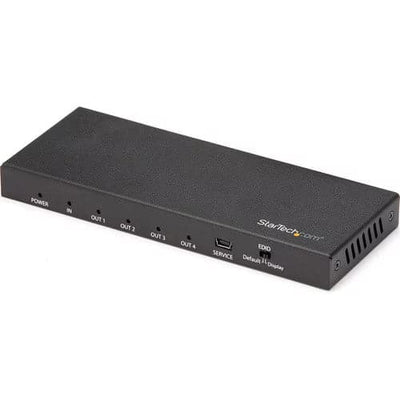
 Displays the same image with sound on 4 screens  Splits an HDMI video signal up to Ultra HD 4K 60Hz  Supports 7.1 surround sound audio including Dolby® True HD and DTS HD Master Audio  Supports HDCP 2.2 and is backward compatible with 4K 30Hz and 1080p displays  Easy setup - no drivers required

8 Port

£179.99
 per 
 Displays the same image with sound on 8 screens  Splits an HDMI video signal up to Ultra HD 4K 60Hz  Supports 7.1 surround sound audio including Dolby® True HD and DTS HD Master Audio  Audio output is supported on all ports simultaneously  Easy setup - no drivers required

FAQ

What is an HDMI splitter, and how does it work?

An HDMI splitter is a device that allows you to distribute a single HDMI signal to multiple displays simultaneously. It works by taking the HDMI input signal and splitting it into identical output signals, ensuring each connected display receives the same high-quality audio and video content without any degradation.

Can I use an HDMI splitter to extend my HDMI signal over long distances?

While HDMI splitters are primarily designed for distributing signals to multiple displays, some models also offer signal boosting capabilities, allowing you to extend HDMI signals over longer distances. Look for HDMI splitters with built-in signal amplification or consider pairing them with HDMI extenders or baluns to transmit signals over greater distances reliably.

Are HDMI splitters effective?


Yes. HDMI splitters work reliably for duplicating a video signal from one source to multiple displays. A powered HDMI splitter maintains full signal quality across all connected screens, even at 4K resolution. The main limitation is that all connected displays will show the same image — a splitter cannot send different content to different screens simultaneously. For that, you would need a dedicated graphics card with multiple outputs or a display adapter.

How do I choose the best HDMI splitter for my setup?

When selecting an HDMI splitter, consider factors such as the number of outputs required, HDMI version compatibility (e.g., HDMI 2.0 for 4K resolution), maximum supported resolution and refresh rate, audio support (e.g., Dolby Atmos, DTS:X), and additional features like remote control or automatic switching. It's essential to ensure compatibility with your devices and the specific requirements of your setup.

Can I use an HDMI splitter to mirror my computer screen to multiple monitors or TVs?

Yes, you can use an HDMI splitter to mirror your computer screen to multiple monitors or TVs simultaneously. By connecting the HDMI splitter to your computer's HDMI output port and then connecting multiple displays to the splitter's output ports, you can duplicate the computer's screen onto each connected display. This is useful for presentations, gaming setups, digital signage, and other scenarios where you need to display the same content across multiple screens simultaneously.

Can you split HDMI to 2 monitors?


Yes. A 1-in-2-out HDMI splitter takes a single HDMI source — such as a games console, laptop, or streaming device — and duplicates the signal to two monitors or TVs at the same time. Both screens will display identical content at the same resolution. If your source device is 4K capable, look for a powered 4K HDMI splitter to ensure the signal is strong enough to maintain full resolution across both displays without degradation.