Yashica FX-D S300 Digital Film Simulation Camera





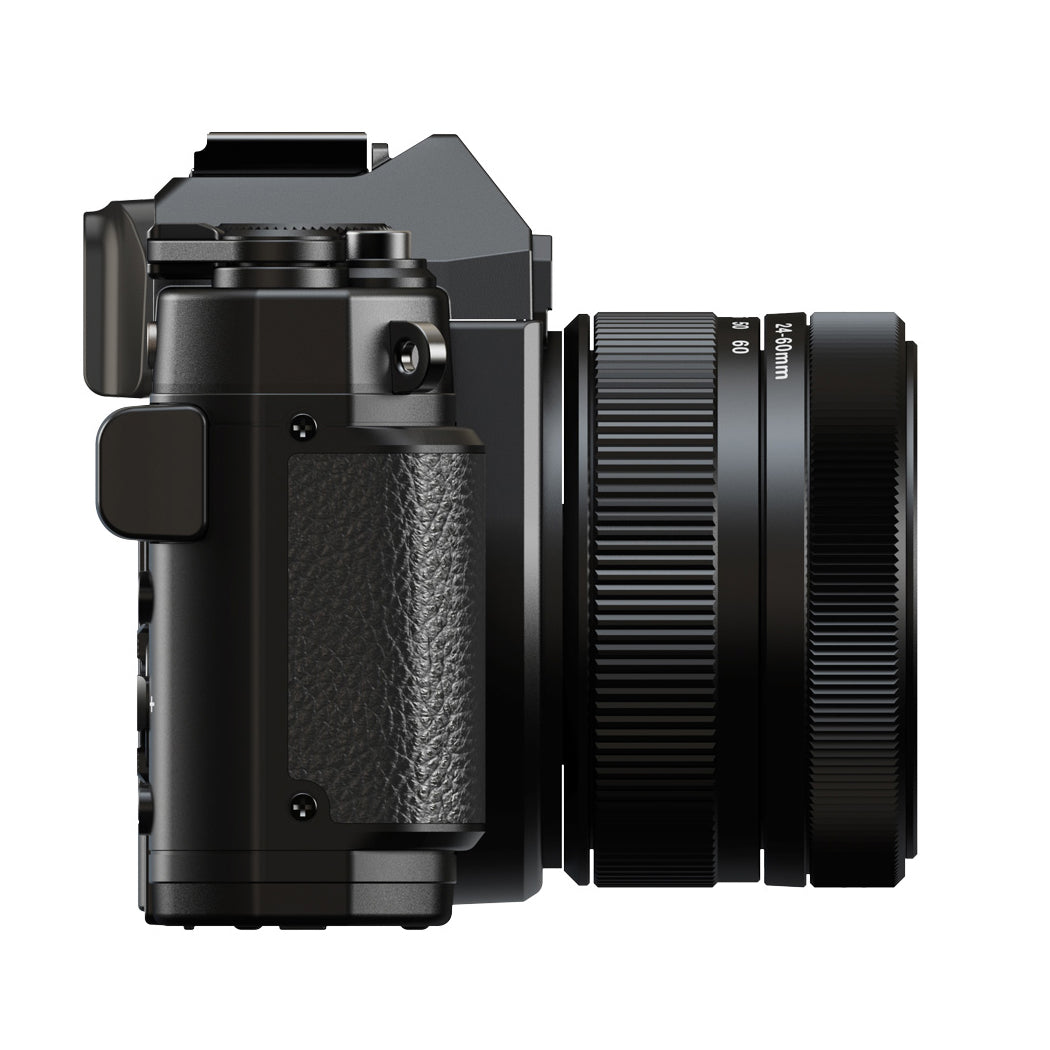
Yashica FX-D S300 Digital Film Simulation Camera
About this product
The Yashica FX-D S300 Digital Film Simulation Camera with 50MP high-resolution and Electronic View Finder is built for professionals who look for a complete and immersive digital-analogue-simulated camera experience. DNG format supported.
This Yashica FX-D is your first digital film simulation camera. FX-D stands for Film Experience in Digital, precisely capturing a genuine Film Experience delivered through a Digital platform.
Inspired by the legendary YASHICA FX-3, the FX-D series combines the classic manual film advance lever and retro design with modern digital convenience.
At its heart are six built-in film simulations that recreate the timeless look of YASHICA’s classic film stocks, giving your photos the nostalgic charm of film without needing actual film rolls.
You can shoot with the texture of film or the speed and flexibility of digital, all in one camera. No extras, no complications. Just one YASHICA camera to tell your story.
Film Simulation Mode is where the heart of the YASHICA FX-D truly beats.
Switch instantly between six distinct film tones with a dedicated film simulation dial, and fine-tune grain, white balance shift, saturation, contrast, sharpness and hue. Store your presets as two personal “recipes” and recall them in seconds.
Fully wind the film advance lever to take a shoot, and the film look appears in real time through the lens, so you’re not just shooting blindly and fixing later.
Ruby 60s gives a subtle retro effect with a soft warmth and adds emotional weight that hugs every frame. Ideal for capturing moments with a touch of nostalgia.
Sapphire 70s captures your world with a rich, cool-toned palette and a delicate sapphire-tinted glow. Perfect for urban and cinematic storytelling.
Yashica 400 is designed for portrait photography. This classic Yashica film leans into warmth and emotion while keeping the details crisp.
Golden 80s bathes your shots in the sun soaked magic of golden hour. Ideal for outdoor photo shoots with sunshine.
Mono 400 delivers a subtle retro effect with a soft warmth and adds emotional weight that hugs every frame. Ideal for capturing moments with a touch of nostalgia.
B&W 400 delivers a subtle retro effect with a soft warmth and adds emotional weight that hugs every frame. Ideal for capturing moments with a touch of nostalgia.
Film Advance Lever
The film advance lever is an active part of your YASHICA FX-D creative workflow. In Film Simulation Mode, after every single shot you capture, you will need to fully wind the film advance lever: guide the lever ahead until it reaches its stop and you hear a soft click. Without this winding action, the shutter will not release for your next shot.
By reintroducing this classic analogue motion, FX-D invites you to slow down and be truly present in the moment. Each pull of the lever transforms fosters a deeper connection with your subject and the scene before you. It's a subtle yet powerful reminder to pause before every shot, which significantly enhances the unique "film experience" at the very heart of this innovative digital camera.
Digital Mode
In Digital Mode, capture swiftly and effortlessly with instant shooting. This shooting mode is perfect for those moments when you need quick reactions, or when you prefer the straightforward workflow of digital photography.
Select your desired digital shooting options, such as Program (P) and SCN (Scene), with the Mode dial for the ideal shooting setting. The camera also offers various filters in Digital Mode, allowing you to instantly add creative flair to your images.
The FX-D S300 also features a 24mm Wide lens (f1.8) plus 2.5x Digital Zoom, 3 axis Optical Image Stabilisation (OIS), a 180 degree flip screen for perfect self portraits and WiFi capabilities to link with the Yashica App.
Specifications
| Effective Pixels | 50MP (8192×6144) |
| Image Sensor Size | 1/1.56" |
| Image Sensor Type | CMOS |
| LCD Display | 2.8" (4:3 ratio), 640×480 resolution, screen rotation angle 0–180°, no touch screen |
| Brightness Adjustment | High / Medium (Default) / Low |
| Screen Saver Time Settings | Off / 1 min / 2 min / 3 min |
| Focal Length | 5.68mm (35mm full-frame equivalent: 24mm) |
| Fixed Focal Length | 25mm / 35mm / 50mm / 75mm (35mm equivalent) |
| Aperture | F1.8 |
| Focus Range | 0.15m – ∞ |
| Lens Diameter | 49mm |
| Optical Zoom | None (fixed focal length lens) |
| Digital Zoom | 2.5x at default focal length (crop is not applicable) |
| Crop Mode | 24mm (50MP) / 35mm (24MP) / 50mm (12MP) / 60mm (8MP) |
| Focus Mode | Auto Focus / Real-time Auto Focus |
| Face Detection | Supported |
| Real-time Focus | Supported |
| AFL Focus Lock | Supported |
| Metering Mode | Central Focus Exposure / Average Exposure / Single Point |
| AE-Lock | Supported |
| Image Stabilization | 3-axis IBIS |
| Photo Mode | Automatic / Program (Default) / Shutter Priority / SCN / Video / C1 (Customisation) / C2 / C3 / C4 |
| Photo Format | JPEG / JPEG+DNG |
| Aspect Ratio | 4:3 / 16:9 |
| Photo Resolution | 50MP (Default) / 24MP / 12MP (Pixel Binning) |
| Photo Quality | Super Fine / Fine / Normal |
| Self-Timer | 2 sec / 5 sec / 10 sec |
| Continuous Shooting | 3 shots / 5 shots / 7 shots |
| ISO | ISO100 – ISO3200 / Auto / ISO-Auto Upper Limit / Manual |
| Exposure Time | 1/8000 sec – 7 sec |
| Exposure Compensation | ± 3EV, 1/3EV step |
| White Balance | Auto / Daylight / Cloudy / Tungsten / Fluorescent (H) / Fluorescent (L) / Manual (3000K – 9000K) |
| White Balance Shift | Amber / Blue / Green / Magenta, ±7 steps adjustable |
| DAG HDR | Supported |
| Digital Filters | Standard / Natural / Vivid / Monotone / High Contrast B&W / Negative / High Contrast / Retro / Warm / Cold / Red Tone / Green Tone / Blue Tone / Yellow Tone |
| Film Simulations | Ruby 60s / Sapphire 70s / Yashica 400 / Golden 80s / Mono 400 / B&W 400 |
| Colour Setting | Contrast ±3 / Saturation ±3 / Sharpness ±3 / Tone: On/Off / Hue ±3 |
| Grid and Histogram | Grid display 3×3, grid colour White / Yellow / Red, Histogram |
| Video Format | MP4 |
| Video Resolutions | 4K: 30fps 2.7K: 60fps / 30fps 1080P: 120fps / 60fps (Default) / 30fps 720P: 120fps / 60fps / 30fps |
| Video Function | Slow Motion Recording, Loop Recording, Time-lapse Recording, Pre-recording Function |
| WiFi Specification | IEEE 802.11b/g/n |
| YASHICA App | Supports iOS, Android |
| Stream Resolution | 640×360 (30fps) |
| Auto Power Off | Off / 5min / 10min / Date Stamp |
| Microphone | Built-in |
| Recording Sensitivity | 0 – 20 (Default: 15) |
| AF Light | Built-in |
| Speaker | Built-in |
| Hot Shoe | Supports Flash: Off / Auto Flash / Still Flash |
| Operation Sound Settings | Shutter Sound / Power-on Sound / Button Sound; Volume: High / Normal / Low |
| Mic-in | 3.5mm |
| Output Interface | USB Type-C USB2.0 / DC IN |
| Memory Card | SD Card (supports up to 512GB), U3 or above (not included in the camera), write speed 80MB/s or above |
| Battery | NP-40, 3.7V, 1250mAh |
| Language | 18 languages |
| Dimensions (L×W×H) | 12 × 8.1 × 8.1cm |
| Net Weight | 360g |
| Body Colour | Black |
| Operating Temperature | 0 – 40°C |
| Operating System | Windows 10/11, macOS |
| Electronic Viewfinder (EVF) | Yes |
| OLED Size | 0.32" OLED panel |
| EVF Resolution | 1.4 million dots |
| Refresh Rate | 120Hz |
Questions & Answers
Reviews
Related blog posts
How to Format an SD Card: Camera, Phone and PC Guide
Ricoh Theta X vs Ricoh Theta Z1: What's the Difference?
Camcorder Buying Guide 2026: How to Choose the Right One
How to Choose the Right Tripod (or Mount) for Your Camera or Phone
Porro Prism vs Roof Prism Binoculars: What's the Difference?
Fujifilm Instax Mini 13 Review: What's New vs the Mini 12
Best Binoculars for Stargazing & Astronomy (UK Guide 2026)
The Best Way to Develop Your Film in 2026
Best Binoculars UK 2026: Our Top Picks for Bird Watching, Wildlife & Travel
Best Compact Digital Cameras UK 2026: Our Top Picks for Every Budget
Which Instax Camera Should I Buy? A Complete Guide
Everything You Need to Know About Memory: A Guide to Flash Storage and SanDisk Products at Maplin
Kodak Charmera Review: The Keychain Camera Explained
Flash Drive vs Memory Card: What's the Difference and When to Use Each?

Standard Delivery
Delivery time: 2-4 working days
Small Items (most products): £3.49 / FREE over £35
Large Items (e.g. desks, chairs): £9.99
Extra Large Items (larger or heavier goods): £24.99

Express Delivery
Delivery time: 1-3 working days (priority handling)
Small Items (most products): £6.99
Large Items (e.g. desks, chairs): £14.99
Extra Large Items (larger or heavier goods): £44.99

Instant Delivery

Deliveroo
This product is stocked by Deliveroo HOP for same-day instant delivery, straight to your door!
Find your nearest Deliveroo HOP location.

GoPuff
Need this item ASAP? Order with GoPuff for same-day instant delivery. .
Find your nearest GoPuff location to get started.

Quiver
If you're in London and need this item in a hurry, look for the Quiver badge on the product page and enter your postcode. You can get your delivery in less than an hour!
- Choosing a selection results in a full page refresh.